
An MRI machine that sits idle for an hour isn’t just an empty room, it’s thousands of dollars in equipment cost with nothing to show for it. In most imaging centers, that idle time isn’t caused by a lack of demand. It’s caused by a workflow that depends entirely on staff manually reading faxes, calling patients, and updating a schedule by hand, one step at a time, with no system catching what gets missed.
Imaging center workflow automation exists to close that gap, replacing manual referral intake, scheduling, and patient outreach with a connected system that keeps scanners booked and referrals moving. This guide covers why manual workflows break down at scale, what to automate first, and how the right platform turns idle machine time into recovered revenue.
What Is Imaging Center Workflow Automation?
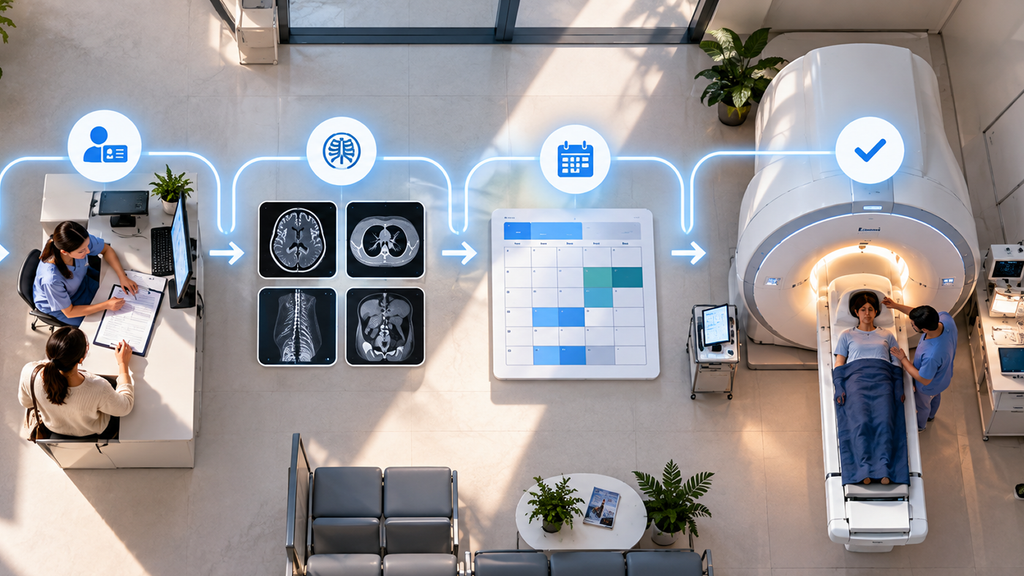
Imaging center workflow automation is the use of software to handle the repetitive, time-sensitive steps between a referral arriving and a scan being completed without a staff member manually managing each one. That includes reading incoming referrals, matching patients to the right exam type and specialist, scheduling appointments, and following up with patients to make sure they actually show up.
Radiology workflow automation and medical imaging workflow automation are often used interchangeably with this term, but the core idea is the same: replace manual, error-prone steps with a system that captures, routes, and tracks every referral automatically, so nothing depends on one person remembering to act on it.
Why Manual Workflows Break Down in Imaging Centers Specifically
Imaging centers face a version of the referral leakage problem that’s more expensive than in most other specialties, for one simple reason: the equipment cost doesn’t stop when the schedule is empty.
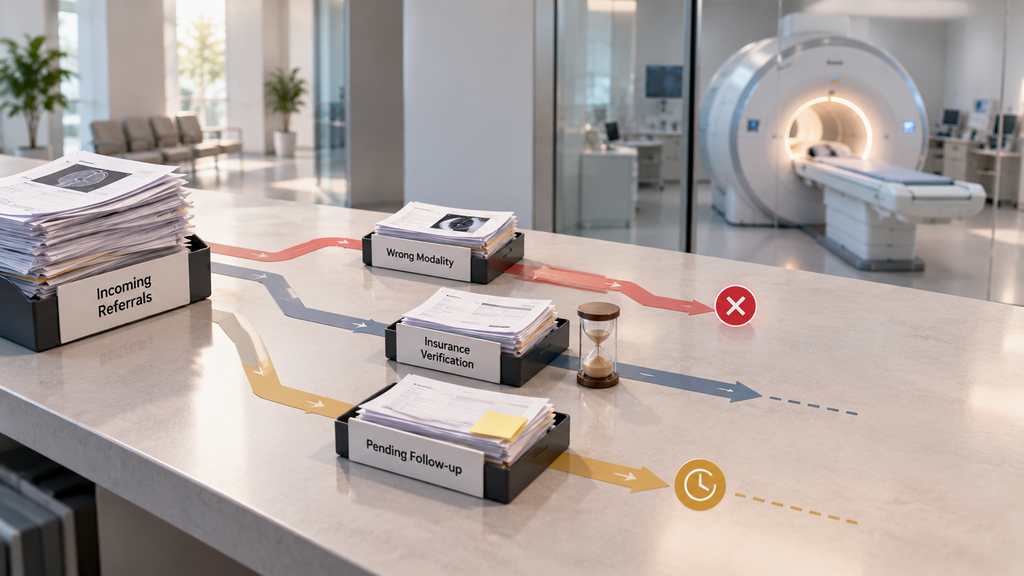
High fixed costs, low tolerance for idle time. An MRI or CT scanner represents a significant capital investment and ongoing operating cost, whether or not it’s booked. A manual workflow that leaves slots unfilled because a referral fax sat unread for two days isn’t a minor inefficiency; it’s a direct hit to the return on that equipment.
High referral volume, high transcription risk. Imaging centers typically receive referrals from a wide range of referring providers, each with their own fax format, handwriting, and shorthand. Manual data entry at this volume is where transcription errors creep in a misread exam type or a wrong contact number can delay a booking by days.
Time-sensitive exam types. Some imaging requests a suspected fracture, a cardiac-related scan are urgent. A manual queue that treats every fax the same way, in the order it arrived, risks delaying exactly the cases that can’t afford to wait.
Insurance and modality matching adds complexity. Unlike a routine office visit, an imaging referral has to be matched to the right modality (MRI, CT, ultrasound, X-ray), the right equipment availability, and the right insurance coverage, three variables a manual process has to get right every single time, by hand.
Radiology Workflow Management: Where the Biggest Gaps Show Up
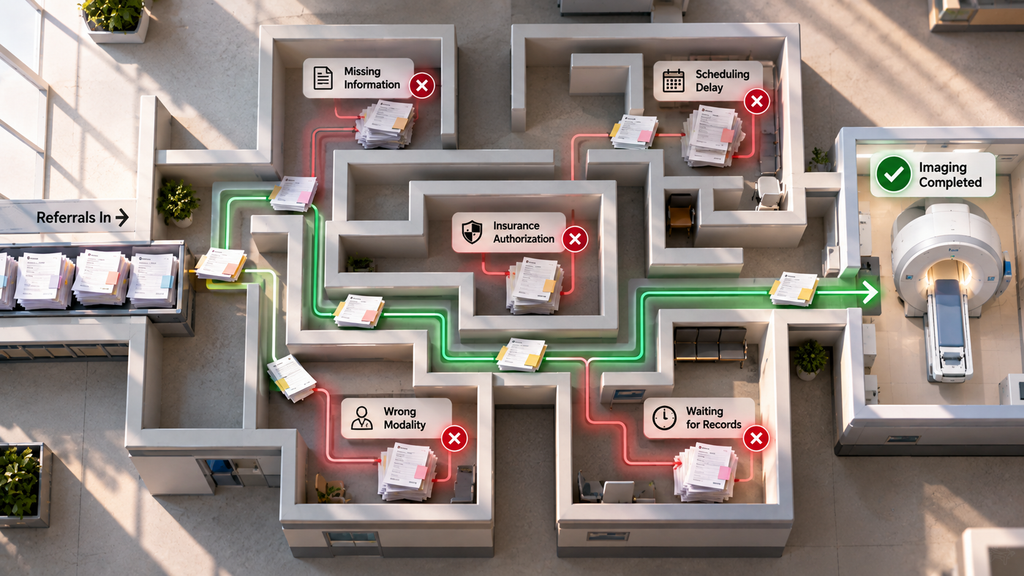
Radiology workflow management problems tend to cluster around a few predictable points. Recognizing these is the first step toward knowing what to automate first:
Referral intake delays. A faxed referral sitting in a queue for even a day increases the chance a patient books elsewhere, especially for common exam types where several imaging centers compete for the same referral.
Scheduling mismatches. Booking a patient into the wrong exam slot, wrong modality, wrong prep requirements leads to rescheduling, wasted machine time, and a frustrated patient.
No visibility into where referrals stall. Without a system tracking status, practice managers often can’t say with confidence how many referrals came in last week, how many converted to scans, and where the rest went.
Manual patient outreach. Confirming appointments, sending prep instructions (fasting requirements, contrast prep, arrival time), and chasing no-shows all eat staff hours that could go toward higher-value work.
What Imaging Workflow Optimization Actually Looks Like
Imaging workflow optimization isn’t about automating everything at once, it’s about targeting the specific steps where manual processes cost the most time and the most revenue. In practice, that means:
Automating referral capture first. Since fax remains a dominant referral channel for imaging, automating the reading and data extraction of incoming referrals removes the single biggest source of delay and transcription error.
Matching patients to availability automatically. Real-time visibility into which modality, provider, and time slot is actually open rather than a staff member calling around or checking a shared calendar cuts booking time from days to minutes.
Automating patient outreach and reminders. Confirmations, prep instructions, and reminders sent automatically reduce no-shows and free staff from repetitive manual calls and texts.
Making referral status visible in one place. A dashboard that shows exactly where every referral sits, scheduled, completed, stalled, replaces the guesswork of a shared spreadsheet or a coordinator’s memory.
How DoctorFare Approaches Imaging Center Workflow Automation
DoctorFare has spent years in the medical referral and patient access space, powering over 500,000 appointments, a meaningful share of that experience shaped directly by working with imaging centers and the specific pressure of keeping high-cost equipment booked. Here’s how the platform addresses imaging workflow automation at each stage:
AI Referral Capture reads faxed referrals handwritten or typed the moment they arrive, extracting patient name, reason for visit, requested exam type, and referring provider automatically. Missing or unclear information is flagged instead of silently entered incorrectly, which matters most in imaging, where the wrong modality on a booking means a wasted slot and a rescheduled patient.
Specialist Network gives referring providers a live, searchable directory of imaging centers, filterable by exam type, insurance accepted, and distance from the patient, so referrals land at a center that’s actually a fit, the first time, instead of requiring a rebooking after the fact.
Appointment Management gives your front office one dashboard to book, track, and manage every scan appointment individually or in bulk with STAT and urgent requests flagged automatically so time-sensitive imaging referrals never sit behind routine ones.
Referral Analytics shows exactly where referrals stall in your workflow at intake, at scheduling, or at confirmation, so practice managers can see the real leakage points instead of guessing why volume doesn’t match capacity.
Patient Communication runs on HIPAA-compliant two-way texting, automating exam prep instructions, confirmations, and reminders, cutting down the manual call volume that eats staff hours around high-volume scanning days.
Patient Self Service lets patients book their own imaging appointments 24/7, with intelligent logic that ensures they land in the correct exam slot every time, even outside your office hours.
Practices using this kind of integrated workflow automation typically see a 24% increase in completed appointments, a reduction of up to 15 admin hours per week, and most reach full ROI within the first 60 days.
How to Know If Your Imaging Center Needs Workflow Automation
A few signs suggest manual processes are already costing more than the cost of automating them:
- Staff can’t say, without digging, how many referrals came in last week and what happened to them
- Scan slots regularly go unfilled, even when referral volume seems steady
- Referral coordinators are spending hours a week on data entry and callback tag
- Patients occasionally show up for the wrong exam type or unprepared for prep requirements
- You don’t have a clear number for how much revenue idle machine time is actually costing you
If more than one of these sounds familiar, the manual workflow is very likely costing more in lost scans and staff hours than an automated system would.
Frequently Asked Questions
What is imaging center workflow automation?
It’s the use of software to automate the repetitive steps in an imaging center’s operations, reading incoming referrals, matching patients to the right exam and provider, scheduling appointments, and following up with patients, reducing the manual work and delays that come from doing each step by hand.
How is radiology workflow automation different from general referral management software?
Radiology and imaging workflow automation typically needs to account for exam-specific factors modality matching, prep requirements, equipment scheduling on top of the general referral tracking that other specialties also need.
Can workflow automation read faxed imaging referrals?
Yes. Modern AI-powered referral capture is built to read both typed and handwritten faxed referrals, extracting patient details and requested exam type automatically rather than requiring manual transcription.
How much revenue does an idle imaging slot actually cost?
Costs vary by modality and market, but an unread fax referral is commonly estimated to cost an imaging center $400–$1,200 in lost scan revenue when it never converts into a booked visit.
How long does it take to implement imaging workflow automation?
Core functionality, like automated referral capture and scheduling, can often go live within a few weeks, with full rollout depending on referral volume and staff onboarding.
Conclusion
Imaging center workflow automation isn’t about replacing your staff, it’s about removing the manual steps where referrals stall, scan slots stay empty, and equipment cost goes unrecovered. The centers seeing the biggest gains aren’t the ones automating one isolated step; they’re the ones connecting referral capture, scheduling, and patient outreach into a single workflow, so nothing between the fax machine and the scan slot depends on someone remembering to act.
If unfilled scan slots and slow referral turnaround are costing your imaging center revenue, it’s worth seeing what a platform like DoctorFare catches in the first month.